Luma is a platform built at DXC's LabX where people talk out loud with a streaming AI avatar. The avatar listens, answers in its own voice, and the conversation is written to a chat panel beside it as it happens.
Two products run on it. The Insurance Training Simulator, built for DXC's Insurance Software and Business Process Services division, lets new insurance producers rehearse sales conversations with customer personas such as a CFO hearing a proposal. The Executives app puts the same experience in front of DXC leadership, so people can ask an executive avatar the questions they would rarely get to ask in person.
I designed the session experience the two products share: getting a person's microphone and speakers ready, the live conversation, how the call and chat controls relate, what happens when audio fails, and the summary at the end.
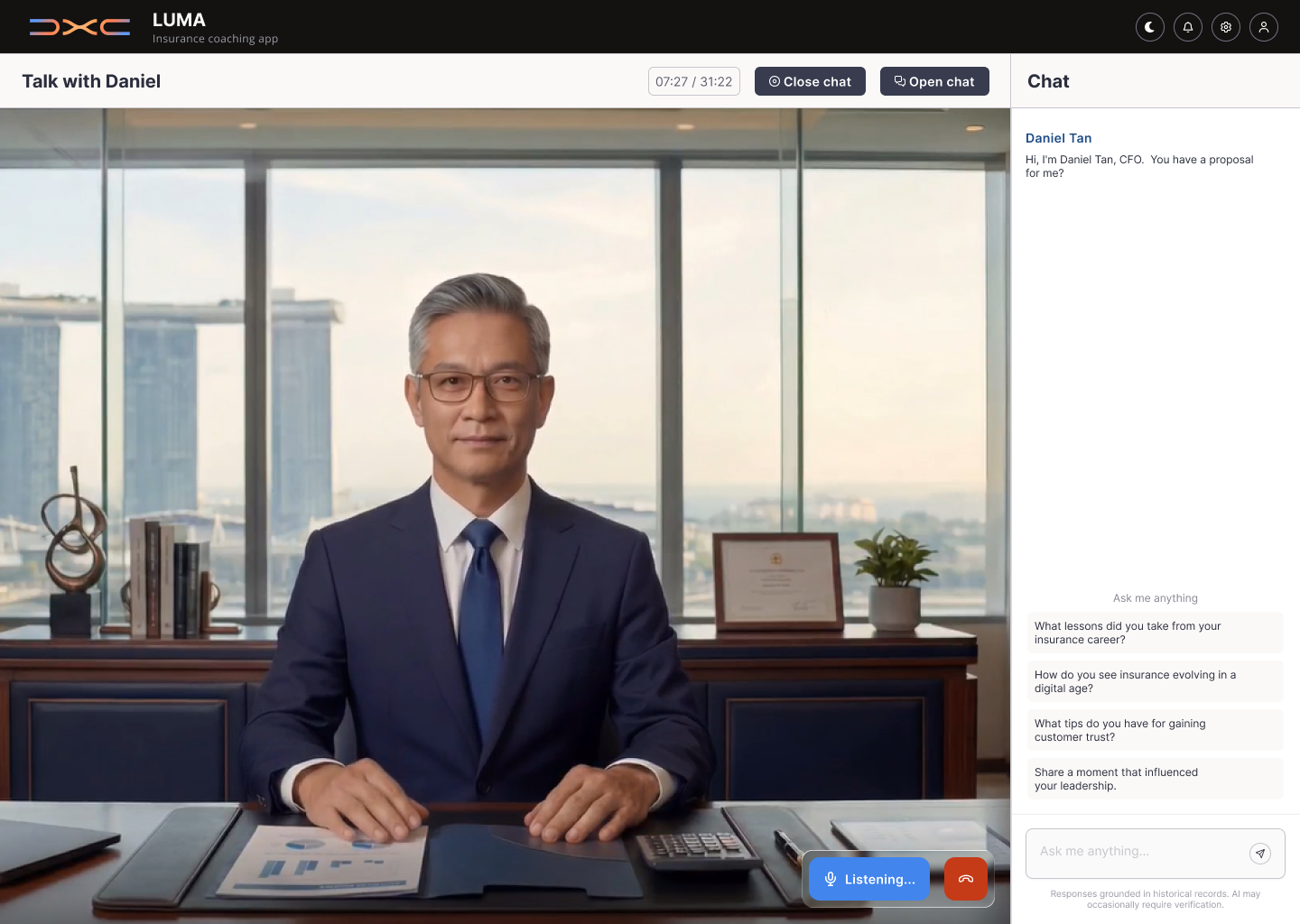
Talking to an avatar is unfamiliar for most people, and the first minute decides whether they keep going. If the microphone is blocked, the avatar seems to ignore them. If they cannot tell whether it is listening or thinking, they talk over it. And because the avatar answers by voice, people needed a way to read back what was said without losing the face-to-face feeling.
The design had to work on a tablet first, stay calm and neutral in tone, and support light and dark mode for two different brands from one set of components.
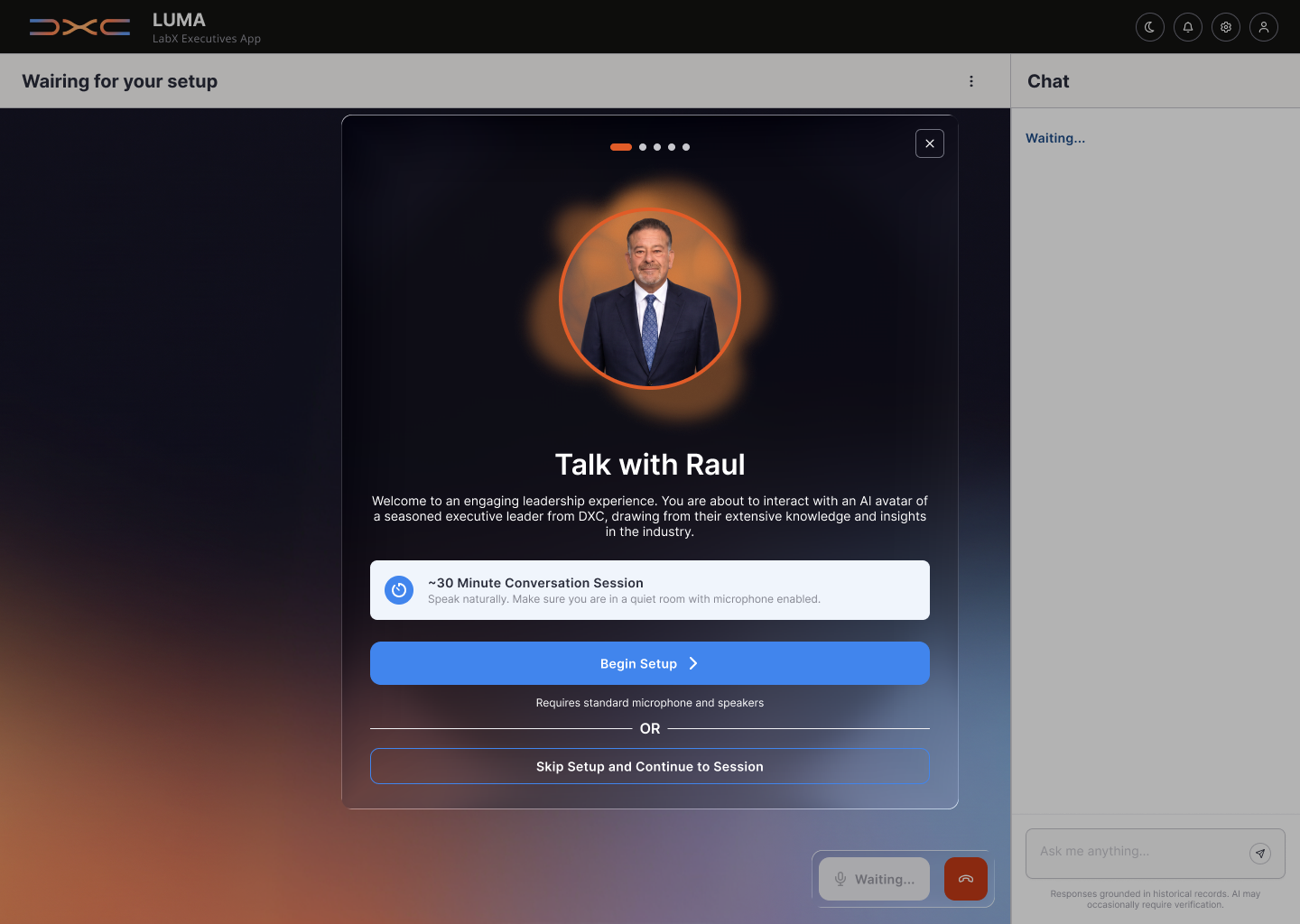
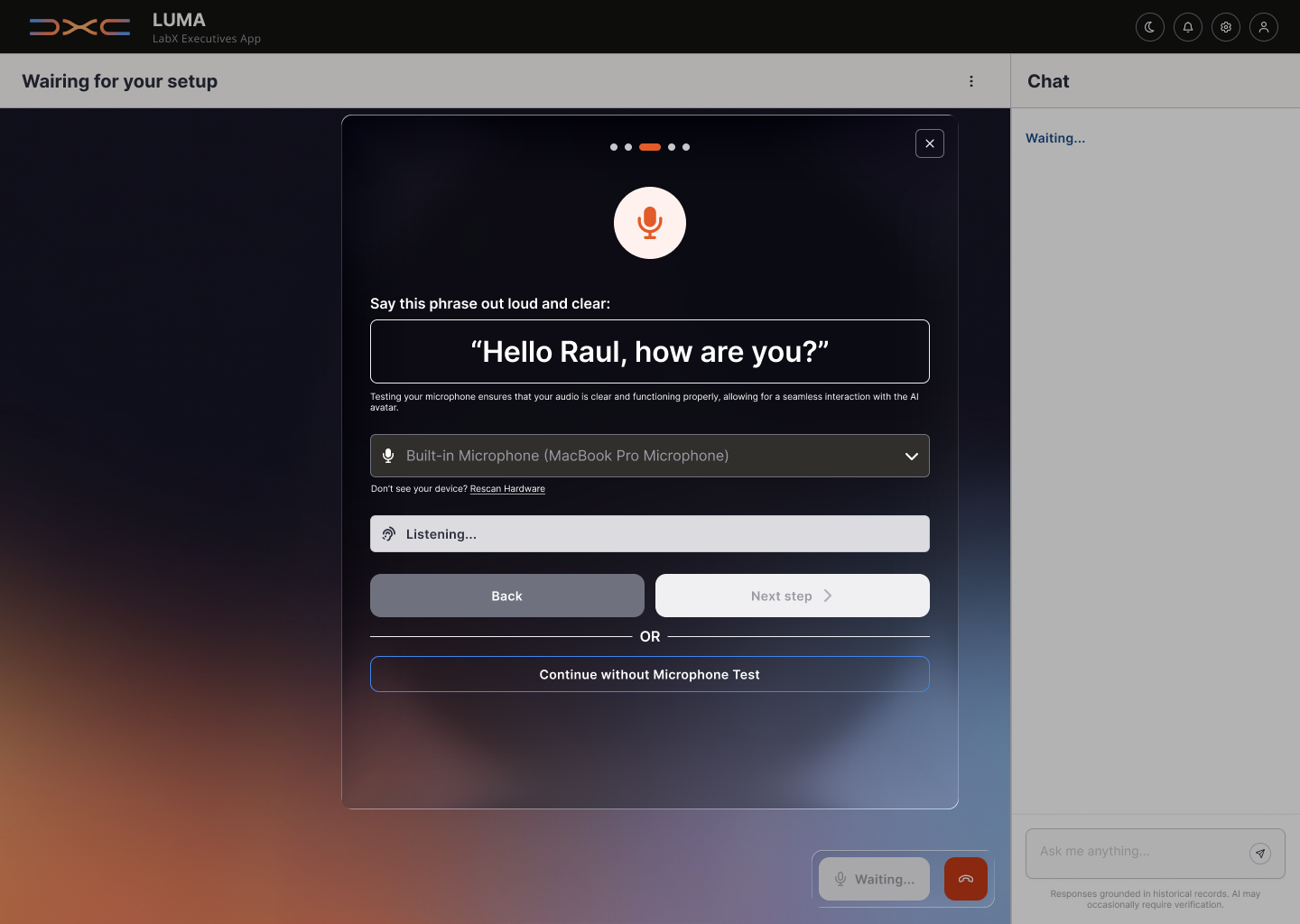
Every session starts with a short device check: choose an avatar, allow the microphone, say a test sentence, then play a test sound. Each step shows one clear result, and every step can be skipped. A person who skips the microphone test is told plainly that they can still listen and type, instead of being blocked.
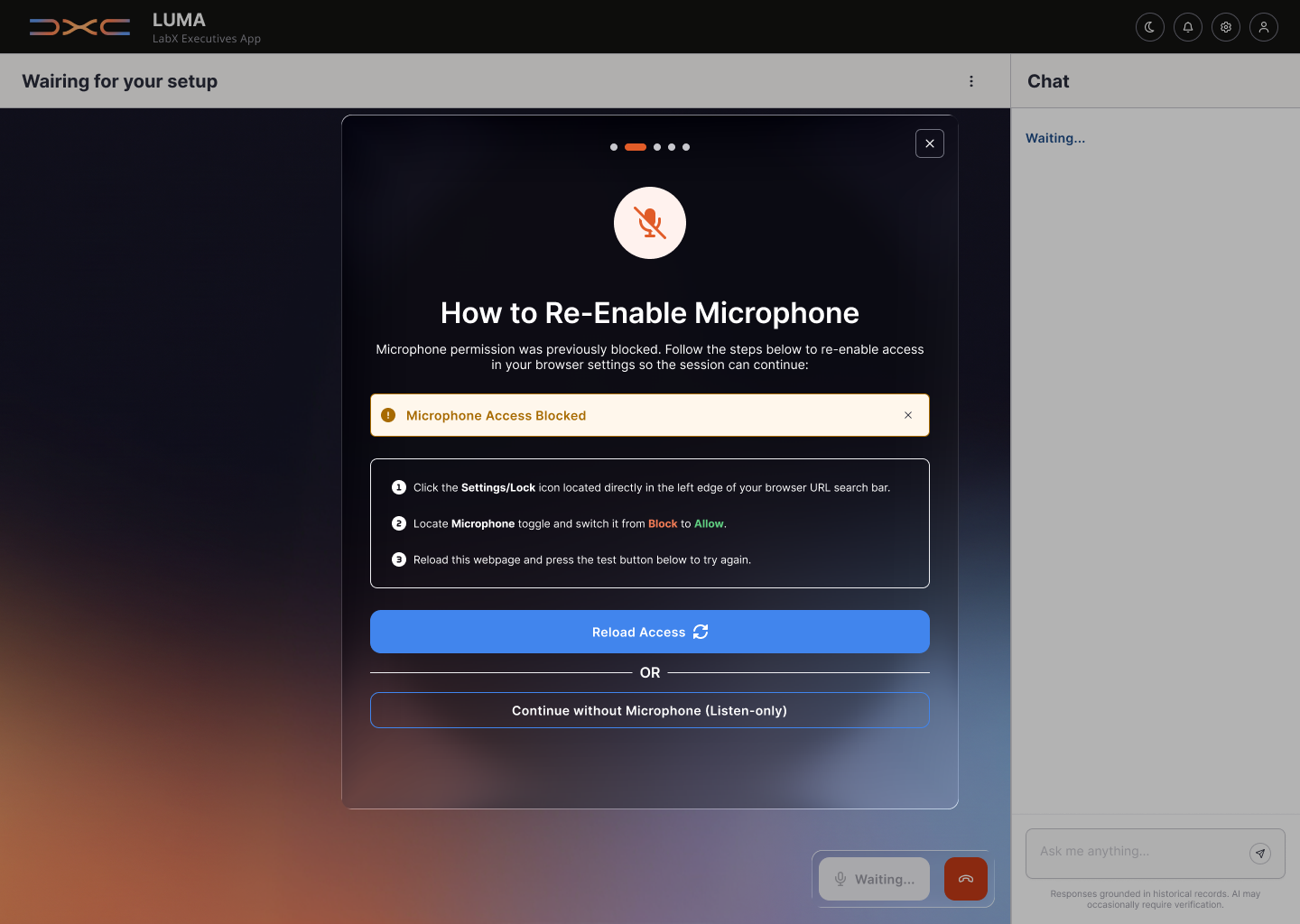
Most problems in a voice product are not design problems at first: a browser that is not supported, a microphone permission that was denied, no microphone at all, or one that disconnects mid-session. I designed a state for each, with the same structure: what happened, what it means for the session, and the one action that fixes it.
During the session the avatar fills the stage and the chat panel sits beside it. The panel can be collapsed for a face-to-face feeling, or opened to read back the conversation. The call controls show one state at a time, Listening or Thinking, using the same neutral labels everywhere, so people know when to speak.
I worked through how the call controls and the chat controls relate in every combination: chat open or closed, recording on or off, light or dark. Recording and settings sit in the session header, away from the controls people use while talking.
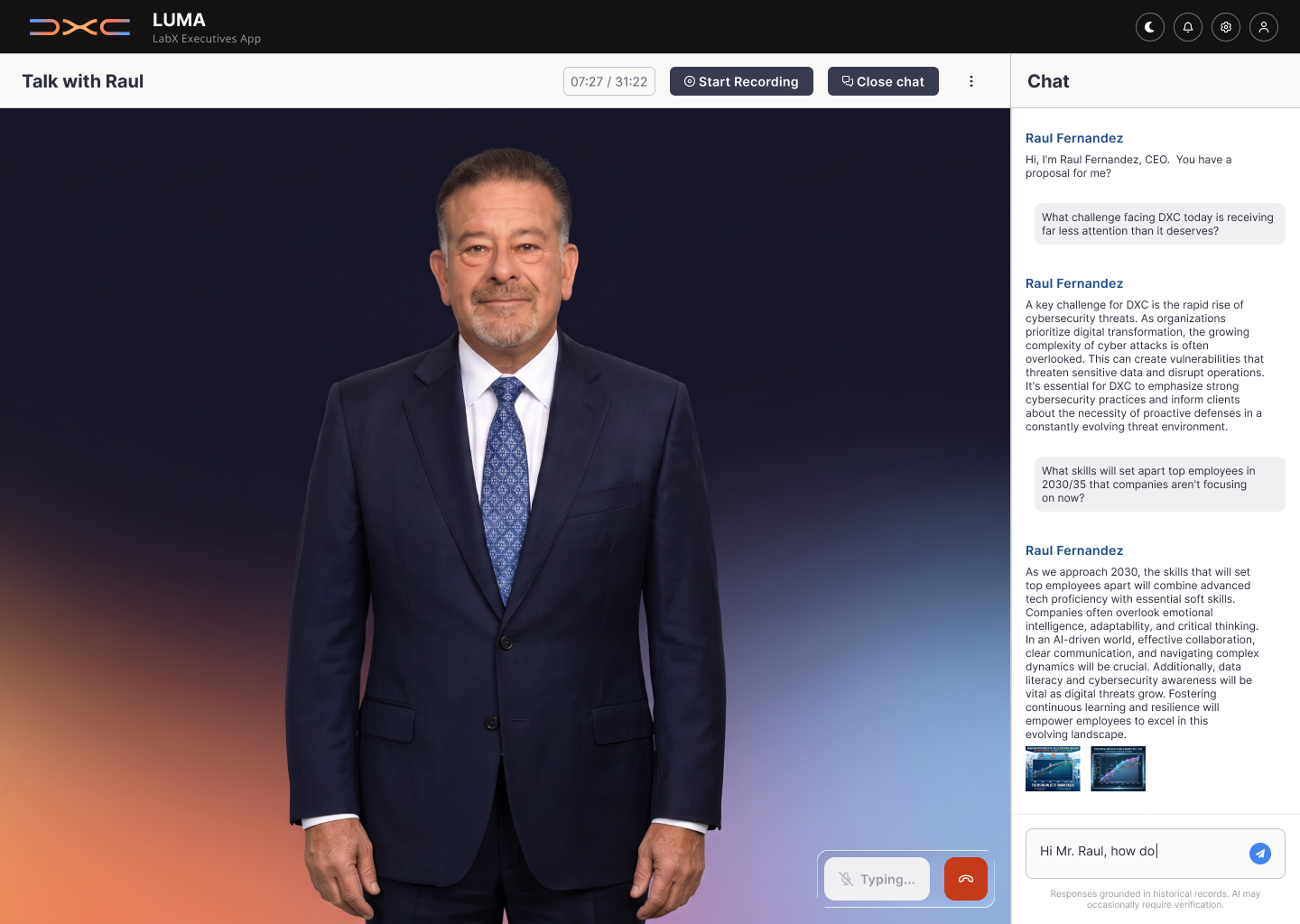
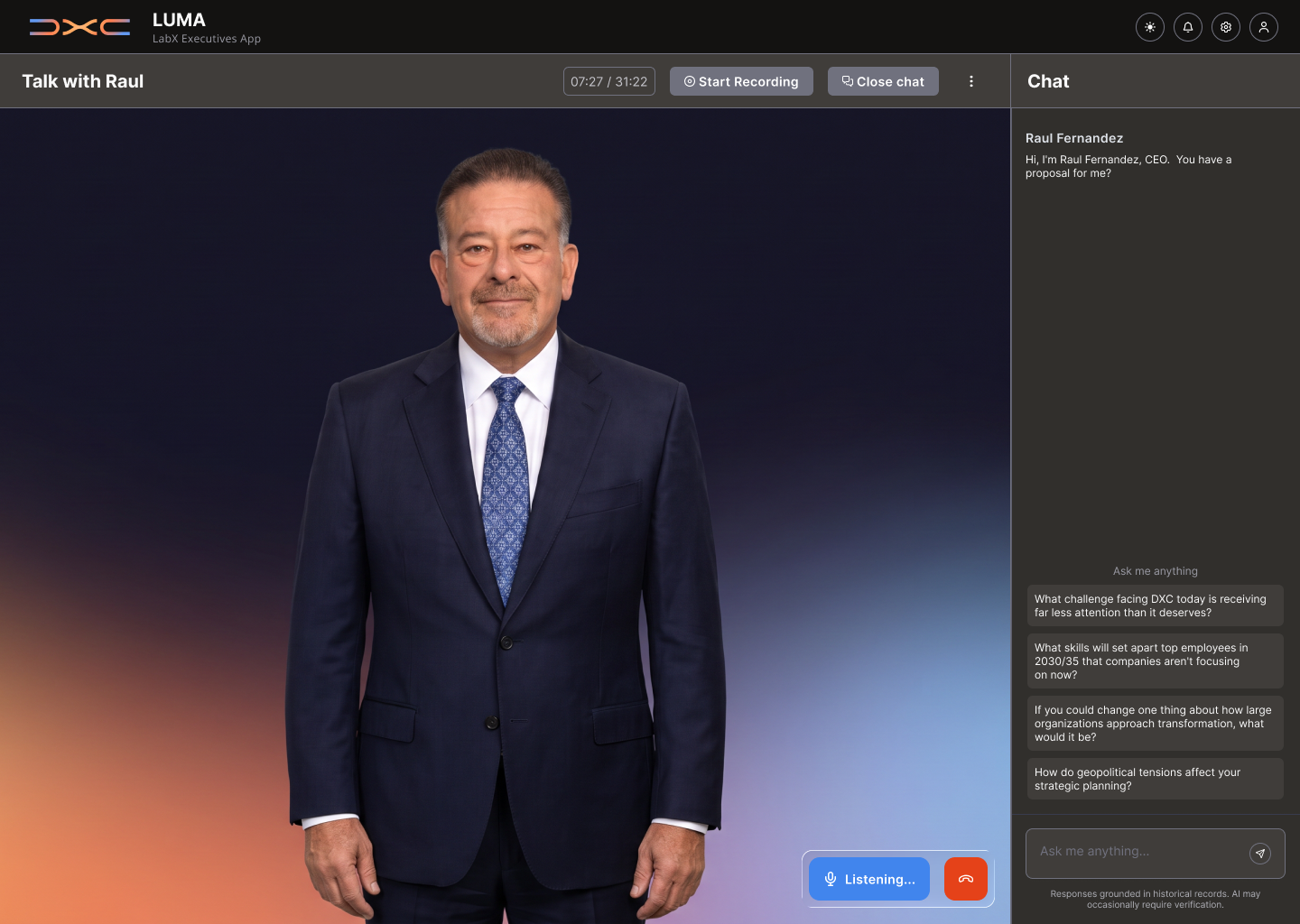
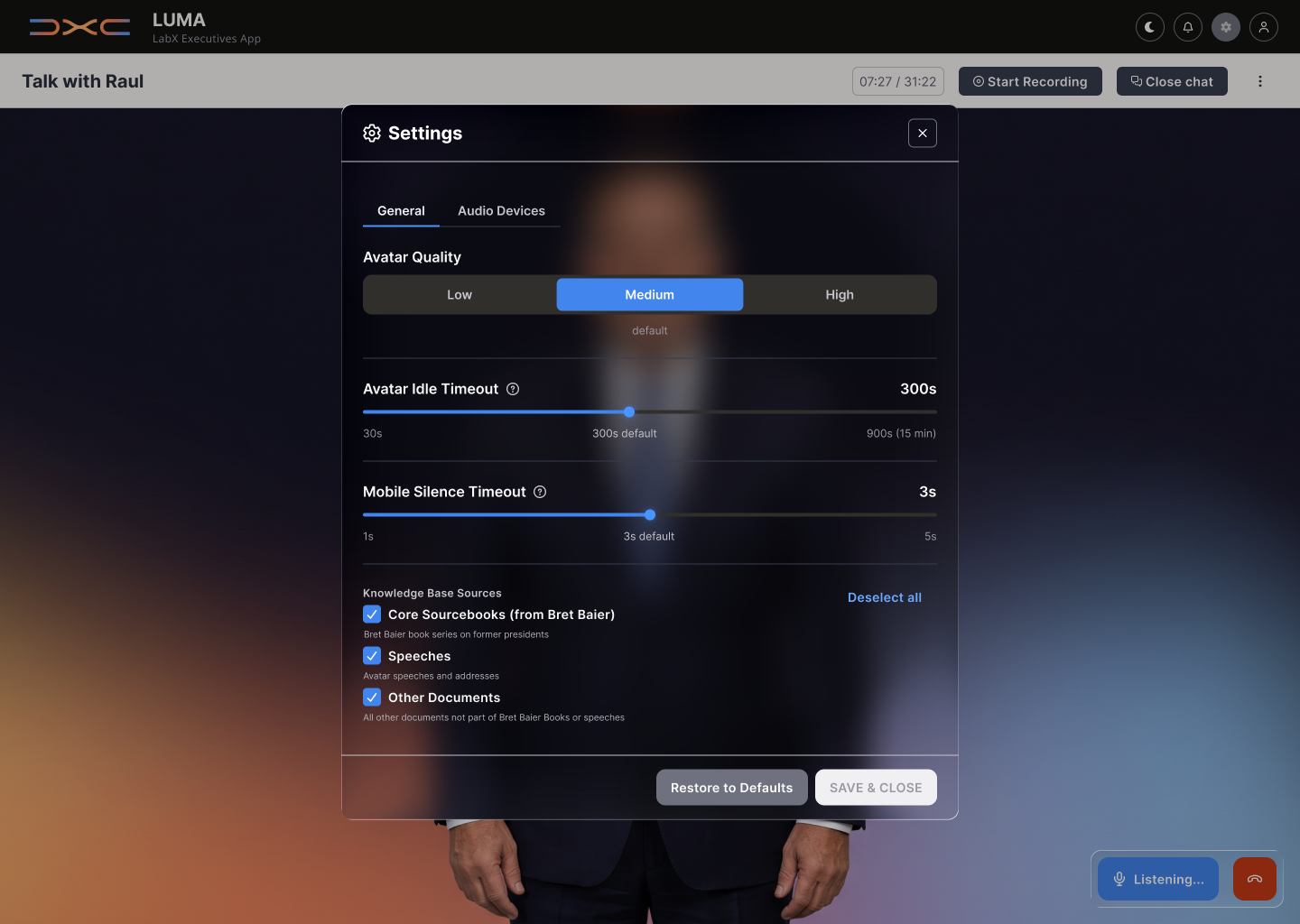
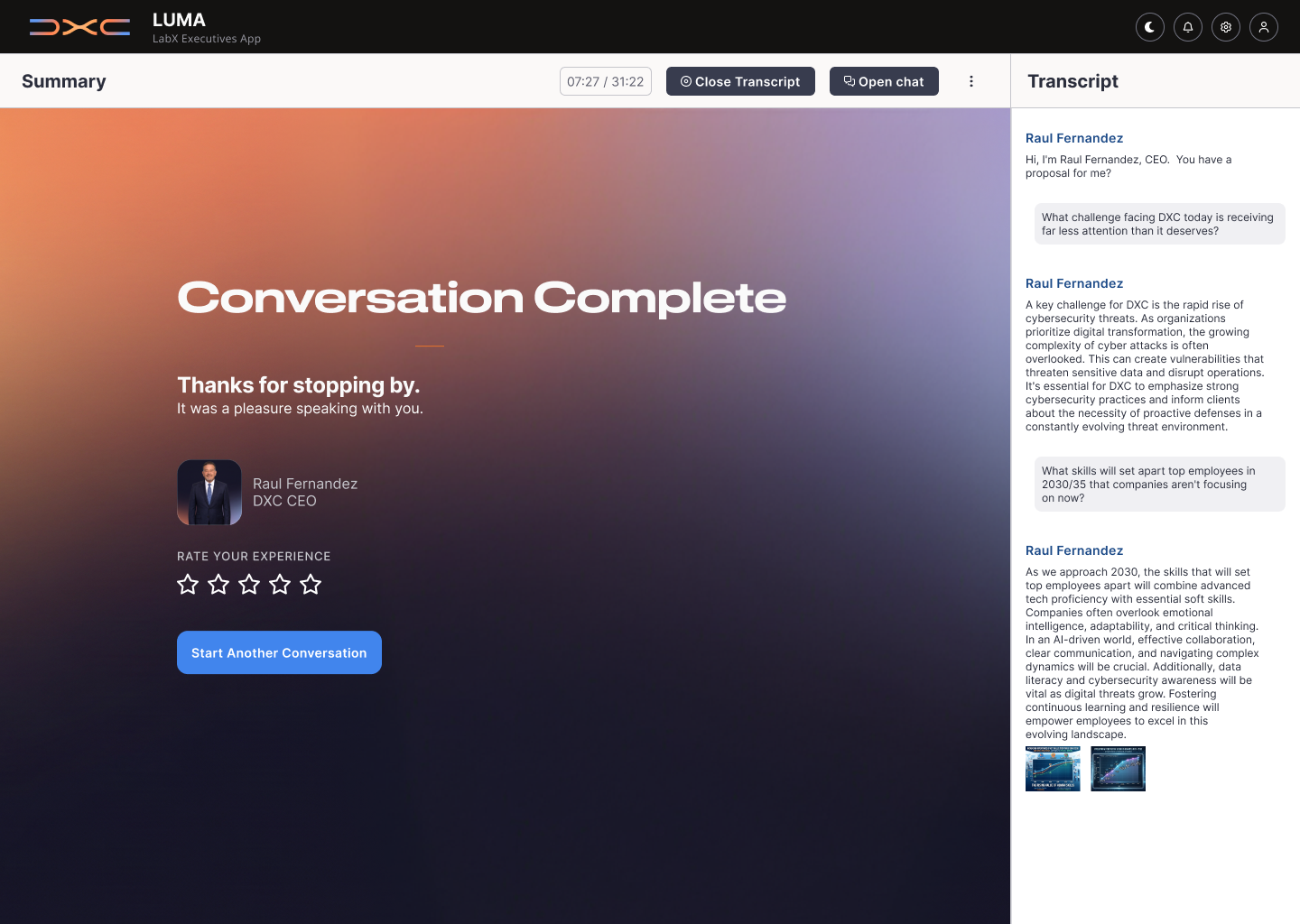
Ending a session asks for confirmation once, then closes the conversation warmly: who the person spoke with, a quick rating, and the full transcript beside it, including the sources the avatar showed. Start Another Conversation is the one clear next step.
"In a voice product, the interface is mostly there for the moments when the voice is not enough: before it starts, when it fails, and after it ends."
Design the unhappy paths first. The happy path of a voice session is one screen. Most of the design effort went into the states around it, and those are the ones people remember when something goes wrong.
One experience, two products. Building both apps from the Luma Design System meant the Executives app could take the insurance session flow, change the brand and content, and ship without redesigning the interaction.